Comparison
Speech Dock vs Whisper.cpp: Finished App or Bare Engine?
How a ready-made dictation app differs from a low-level engine like Whisper.cpp, what you would have to build yourself, and how to pick the right option for your needs.
If you have been looking for local speech recognition, you have almost certainly come across Whisper.cpp. And you may have caught yourself thinking: "Why pay for an app when there is a free engine?" It is a fair question, but it hides a sleight of hand. Whisper.cpp and a finished dictation app live in different categories. Arguing over which one is "better" is a bit like arguing whether an engine or a car is better.
No made-up performance numbers ahead. Let us break down what is what, what you will have to do by hand, and how to pick the right option for your needs.
What Whisper.cpp Is and What It Is For
Whisper.cpp is a well-respected open-source project, an efficient implementation of speech recognition in C/C++. It runs locally, with no cloud, and is nicely optimized for ordinary hardware. It is excellent engineering work, and its popularity is well earned.
But it is an engine. A library plus a command-line tool that take audio and produce text. There is one thing Whisper.cpp does beautifully: it recognizes speech. Everything else that turns recognition into convenient dictation sits outside its scope. And for an engine that is perfectly fine, that is the whole point.
An Engine Is Not Yet a Dictation Tool
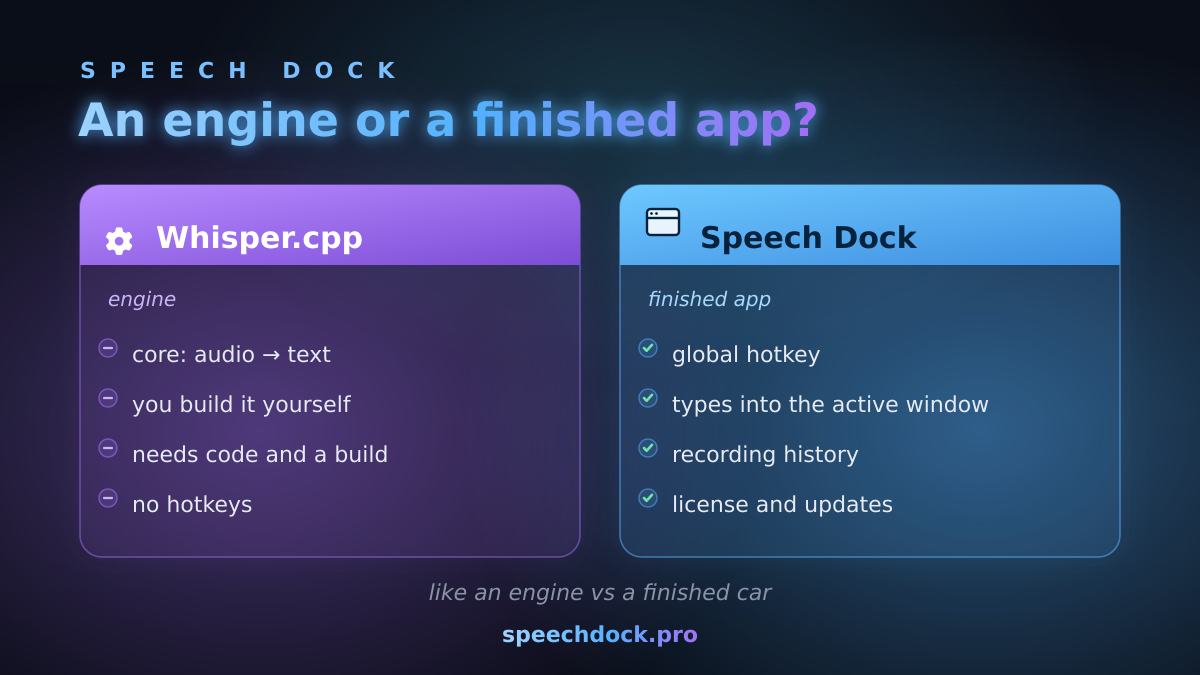
When you dictate in your day-to-day work, recognition is just one step out of many. For your voice to turn into text in the right field, several things have to happen at once:
| What dictation needs | Whisper.cpp (engine) | Speech Dock (app) |
|---|---|---|
| Capturing sound from the microphone in real time | You build it yourself | Built in |
| Starting/stopping recording with a hotkey from any app | You build it yourself | Built in |
| Speech recognition | The engine does this | Local recognition |
| Formatting the text: punctuation, a readable layout | You build it yourself | Built in |
| Inserting the result into the active window (editor, messenger, browser) | You build it yourself | Built in |
| A history of your recordings | You build it yourself | Built in |
| Managing language data and updates | You build it yourself | Built in |
The engine covers one row in this table. A finished app covers them all and ties them into a single process you never have to think about.
What You Will Have to Build Yourself on Top of the Engine
Building a dictation tool on top of Whisper.cpp is realistic, and as a learning project it is even worthwhile. But consider the scope.
- Audio capture and streaming. The engine does not listen to a live microphone on its own; you have to set that up.
- Hotkeys and background mode. To dictate from any app, you need a global hotkey and a service running in the background.
- Text insertion. This is where the differences between X11 and Wayland on Linux show up: auto-paste, the clipboard, detecting the active window. All of that is on you to handle.
- Interface and feedback. A settings window, a recording indicator, feedback to the user.
- Model management and per-platform builds. Downloading language data, compiling from source, supporting updates.
Nothing impossible here. But this is already developing and maintaining your own tool, not "install it and use it."
What a Finished App Gives You
Speech Dock takes all of that plumbing off your hands. You install the app for Linux or macOS, assign a hotkey, and dictate into any window. Recognition runs locally, with no cloud, so your voice never leaves your device. Privacy is covered in detail on a dedicated page.
What you end up with is not an engine you have to "finish," but a ready-made workflow: record, format, insert, history. Out of the box and tuned to the quirks of your particular system.
What We Deliberately Are Not Comparing Here
Let me be blunt: this article does not claim that one option is "faster" or "more accurate" than the other. Any such comparison depends on the specific hardware, language, settings, and use case. Without reproducible measurements on your own machine, it turns into marketing noise. I am not comparing numbers; I am comparing categories of tools and the amount of work that lands on you.
When to Choose Which
The engine (Whisper.cpp) is worth taking if you are a developer building your own product, or you have an unusual use case where you need full control over every step, and you are ready to build and maintain all the surrounding parts yourself.
The finished app (Speech Dock) is the right fit if you need convenient, private dictation right now, without compiling from source and fiddling with window-handling details by hand, and if you would rather focus on your work than on your tool.
Both options respect your privacy through local processing. The whole difference is how much engineering work you are willing to take on.
So the question is not who is "more accurate" than whom. The question is what suits you better: a kit you still have to assemble and then keep going, or a finished tool that simply works. Whisper.cpp is excellent in exactly its role as an engine, and it makes sense to sit down with it when you want full control and have the time to spare. But if control is not the goal and you just need dictation here and now, download Speech Dock and dictate your first note today.